
download youtube video
Save videos shorts and playlists in smooth MP4 or MP3 with stable high quality
YouTube Video Downloader – Save Videos Easily Online
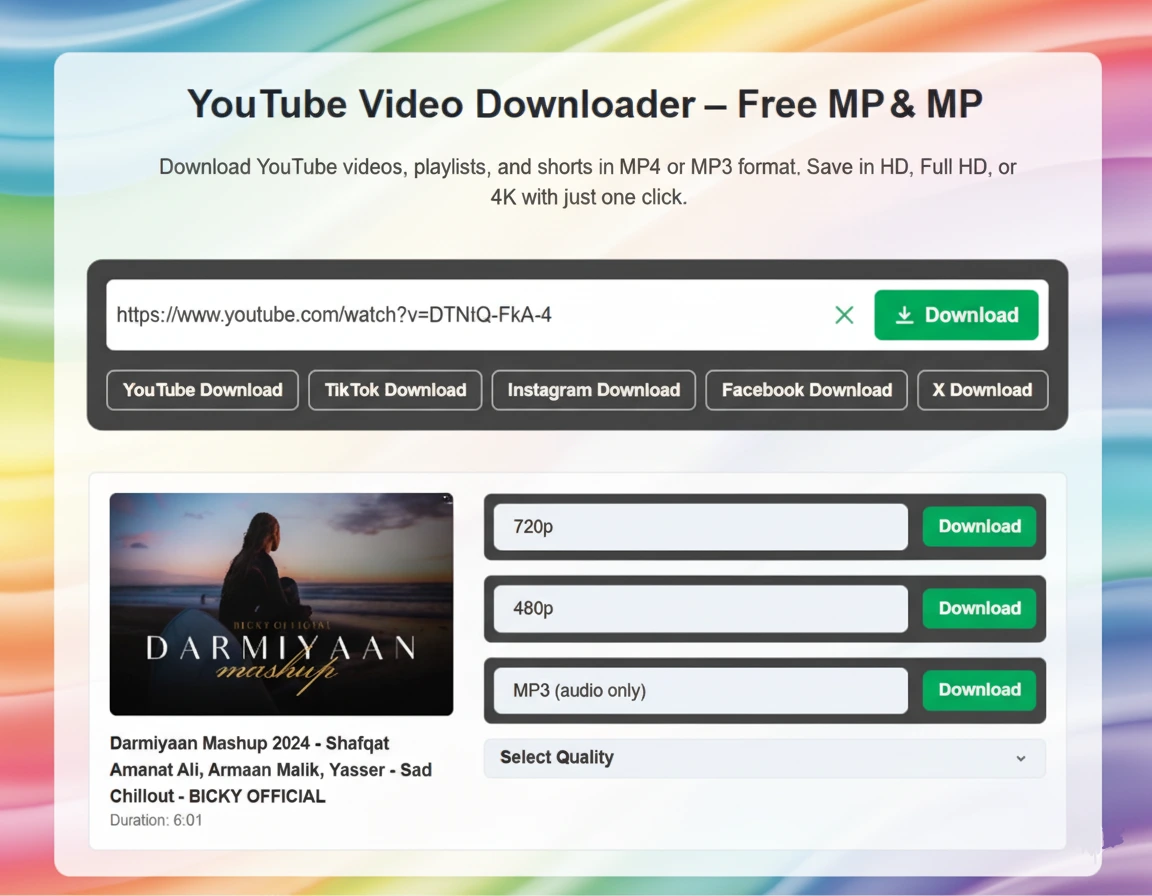
Url2video is a fast, secure, and reliable online tool for anyone looking to download YouTube video content. This YouTube downloader allows users to save videos in MP4 format or convert them to audio using the YouTube to MP3 feature for offline listening. To download a video, simply copy the YouTube link, paste it into the input box, select the desired resolution, and click download. The yt downloader quickly fetches video details such as title, thumbnail, duration, and available formats, enabling users to save content in standard definition, high definition, or full HD depending on the original quality. This tool works seamlessly on mobile, tablet, and desktop devices without requiring any software installation, registration, or plugins. Privacy is maintained as videos are automatically removed from servers after download. Whether you want to save tutorials, entertainment clips, music videos, or viral content, this YouTube video downloader offers a fast, ad-free, and user-friendly way to access videos offline.
Key Features of Our YouTube Video Downloader
- Download videos from YouTube and other popular platforms safely.
- Supports MP4 video and YouTube to MP3 audio conversion.
- Choose video resolution from SD, HD, or Full HD depending on availability.
- No installation, registration, or plugins required.
- Works on all devices including mobile, tablet, and desktop.
- Fast, secure, ad-free, and reliable online downloader.
How to Download YouTube Videos Online
- Copy the YouTube video link you want to save.
- Open the online video downloader in your browser.
- Paste the link into the input field.
- Select the preferred format HD,720p,480p etc
- Choose the resolution if needed.
- Click Download and wait a few seconds for processing.
Why Use This YouTube Downloader
- Download YouTube videos without any watermark easily.
- Convert YouTube videos to MP3 for offline listening.
- No account or software installation required.
- Fast, safe, and free online yt downloader.
- Works across mobile, tablet, and desktop devices.
Purpose of This Tool
The aim of url2video as a YouTube downloader is to provide users with a fast, simple, and secure way to save videos and audio from YouTube. Users can access content offline, choose preferred resolutions, and convert videos to MP3 for convenient audio playback.
This tool is designed to be intuitive and user-friendly, works on all devices, and supports multiple video formats. It prioritizes privacy and ensures a safe experience for anyone looking to download YouTube videos quickly and efficiently.
What is YouTube?
YouTube is a widely used video-sharing platform where users upload, watch, and share content including music, tutorials, entertainment, and news. Since direct downloads are not allowed on YouTube, url2video provides a secure way to download videos or convert them to MP3. Users can save favorite videos offline, select their preferred quality, and enjoy content anytime without internet access. This online YouTube downloader ensures a safe, fast, and ad-free experience for all types of users.






Frequently Asked Questions
© 2026 URL2Video — All Rights Reserved
Developed by SafeX Solutions